Table of Contents (15 sections)
Introduction to Smart Home Devices
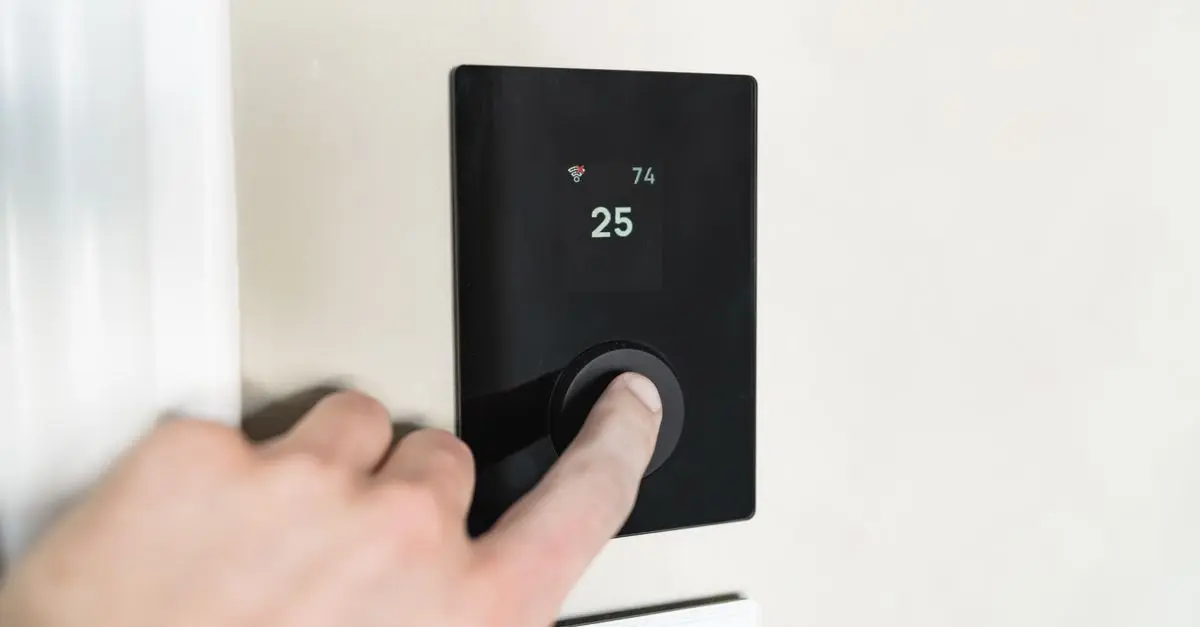
Smart home devices are transforming how we interact with our living spaces. These devices allow homeowners to automate daily tasks, enhance security, and improve energy efficiency. By integrating various gadgets such as smart thermostats, lights, and security systems, homeowners gain better control over their environment and energy consumption. For instance, a report from the U.S. Department of Energy indicates that smart home devices can reduce an average household's energy consumption by up to 20% annually. This efficiency not only leads to cost savings but also contributes to a more sustainable lifestyle.
Understanding the full capabilities of these devices can be daunting for new users. From understanding compatibility with existing infrastructure to evaluating the ease of use, homeowners must navigate various factors. Additionally, with countless brands and models available, choosing the right devices tailored to individual needs is critical.
Steps to Choose the Right Smart Home Devices
Step 1: Assess Your Needs
Before investing in smart home technology, assess your needs. Consider which areas of your home could benefit from automation or enhanced efficiency. This could range from energy consumption in heating and cooling to security measures.
Step 2: Research Compatibility
Ensure that any smart device you choose is compatible with your home network and other devices. Many popular smart home ecosystems, like Amazon Alexa, Google Home, or Apple HomeKit, offer interoperability among their devices. Research the specifications of each device to confirm compatibility.
Step 3: Evaluate Energy Efficiency
Focus on selecting energy-efficient devices. Look for products carrying energy star ratings or those that offer detailed energy consumption insights. By using data from devices like smart thermostats, homeowners can optimize their energy usage more effectively.
Step 4: Prioritize User Experience
Easy-to-use interfaces and robust customer support from manufacturers make a significant difference. Read reviews and gather insights about user experiences with specific devices to ensure a smooth transition to smart technologies.
Step 5: Read Reviews and Comparisons
Reviews are an invaluable resource. Websites such as UFC-Que Choisir and Les Numériques provide expert ratings that can guide you toward the most reliable products available. Look for devices that have received high marks across the board for performance, ease of use, and customer service.
Step 6: Future-Proof Your Selection
Finally, consider future-proofing your investments. Technology evolves rapidly, so look for devices that offer firmware updates, have wide compatibility, or belong to a popular ecosystem that continues to innovate and provide updates.


Comparing Smart Home Devices
When it comes to evaluating smart home devices, several options compete in the market. Below is a comparative analysis to help potential buyers understand the strengths and weaknesses of various categories.
| Feature | Smart Thermostat | Smart Security Camera | Smart Lighting | Smart Lock |
|---|---|---|---|---|
| Energy Efficiency | High | N/A | Medium | Low |
| User-Friendly | Moderate | High | High | Moderate |
| Integration with Others | High | Moderate | High | High |
| Cost | $100 - $300 | $30 - $200 | $10 - $100 | $100 - $250 |
| Best For | HVAC control | Home monitoring | Ambiance creation | Security enhancement |
Understanding Trends in Smart Home Technology
Smart home technologies are continuously evolving. Current trends show an increasing integration of artificial intelligence and machine learning within smart devices. These advancements allow devices to learn user behaviors, adjusting settings for comfort and efficiency without manual input. A report by Forrester Research noted that 75% of consumers are leaning towards smart devices that provide enhanced user experiences through adaptive learning.
Moreover, with rising concerns about privacy and data security, manufacturers are investing in more secure systems designed to offer users peace of mind without sacrificing functionality. For example, enhanced encryption and data policies are now common across many devices, ensuring the protection of user data against cyber threats.
FAQ about Smart Home Devices
Q1: What are smart home devices?
A: Smart home devices are electronic devices that connect to the internet and can be managed remotely. They aid in automating household tasks such as lighting, heating, and security.
Q2: How do I connect smart devices to my home network?
A: Most smart devices connect via Wi-Fi or Bluetooth. Once powered on, you'll typically use a mobile app to link the device to your home network by entering your Wi-Fi credentials.
Q3: Are smart home devices safe?
A: While security varies, many devices now incorporate strong encryption and security protocols. It’s essential to keep firmware updated and change default passwords.
Q4: Can smart devices really save me money on my energy bill?
A: Yes! Smart devices like thermostats can optimize your energy usage significantly, reducing utility bills over time.
Glossary of Terms
| Term | Definition |
|---|---|
| Smart Home | A residence that uses smart devices for automation and connectivity, typically managed via apps or voice commands. |
| Energy Efficiency | The goal of reducing energy consumption through smart technology, minimizing environmental impact and cost. |
| Interoperability | The ability of different smart devices and systems to work together seamlessly, often within a larger ecosystem. |
- [ ] Assess personal needs for smart home automation.
- [ ] Research device compatibility with existing technology.
- [ ] Check for energy efficiency certifications.
- [ ] Review user experiences and expert feedback.
- [ ] Evaluate the potential for future upgrades and interoperability.


WHALL - 4-in-1 UV Mattress Vacuum Cleaner, 21KPa Anti-Mite Bed Vacuum with Hot Air & LED Display
bestbuy.com

Quick Quiz
> 🧠 Quick Quiz: Which smart home device can significantly reduce energy usage?
- A) Smart Lock
- B) Smart Thermostat
- C) Smart Lighting
Answer: B — Smart Thermostats adjust heating and cooling based on your habits, leading to noticeable energy savings.
📺 For further resources: Explore YouTube for demonstrations and comparisons of smart home devices. Search for keywords: smart home device efficiency guide.
📺 Pour aller plus loin : smart home device efficiency guide sur YouTube
Recommended products
Selected by our experts