Table of Contents (10 sections)
Smart home automation systems have revolutionized how we interact with our living spaces. These systems integrate various devices to improve efficiency, security, and convenience in everyday tasks. With smart home technology, your lighting, heating, and even security can be controlled from a single interface. As demand for smart solutions rises, understanding how to set these systems up effectively becomes crucial for homeowners seeking enhanced control over their environments.
Step 1: Assess Your Needs and Limitations
Before diving into the setup, it’s essential to assess your needs and any limitations that your home may have. Consider the following aspects:
- Identify Key Areas: Determine which areas of your home you want to automate — living room, kitchen, security, etc.
- Connectivity Options: Evaluate your home’s Wi-Fi coverage and whether you need additional boosters. Poor connectivity can hinder the performance of smart devices.
- Budget Planning: Set a budget for your smart home investments. It’s easy to overspend, as there are countless devices available at varying price points.
- Existing Technology: Look at tech you may already own. For example, some smart lights can integrate with existing light fixtures, reducing additional purchases.
Gathering this information will allow you to design a tailored smart home system that meets your requirements and fits within your constraints.
Step 2: Choose Your Compatible Devices
The next step involves selecting devices that work well together. Compatibility is key; sticking to a single platform can simplify the integration process. Consider these categories when choosing your devices:
- Smart Hubs: Devices like smart speakers or dedicated hubs can control all your smart devices from a single interface.
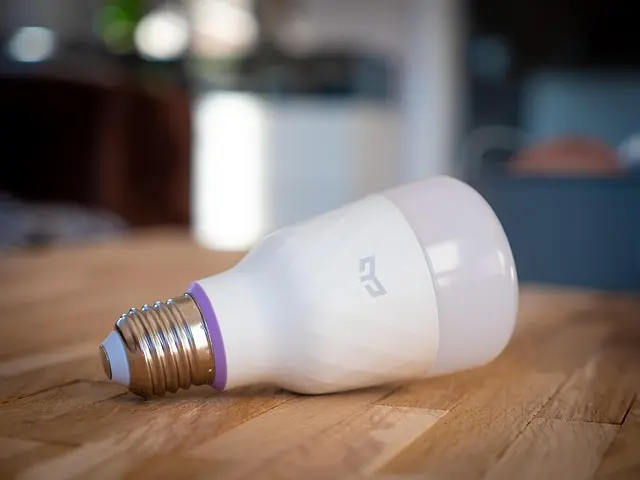
- Smart Lighting: Automated lighting not only enhances convenience but can improve security by providing light when you’re away.
- Thermostats and Climate Control: Smart thermostats can help reduce energy consumption by learning your heating and cooling patterns.
- Security Cameras and Sensors: These allow for real-time monitoring and alerts to keep you informed about your property’s security.
Diving deeper into compatibility will save you headaches later on. Research brands known for their comprehensive ecosystems.

eufy Permanent Outdoor Lights S4 (150ft with 108 LED Lights) +Free eufy Outdoor String Lights E10 White
eufy.com


Step 3: Install Devices and Connect to Your Hub
Once you’ve selected your devices, the installation process begins. Each device will come with specific instructions, but generally, follow these steps:
- Install Physical Components: Securely mount devices like cameras and hubs and ensure other installations (like light switches) comply with electrical safety standards.
- Download Necessary Apps: Utilize the apps associated with each device for seamless control. Many come with step-by-step guides for installation through the app.
- Connect to the Smart Hub: Follow app instructions to connect each device to your hub. This typically involves scanning QR codes or entering Wi-Fi credentials.
- Set Up Automation Rules: Explore app features to establish automation scenarios—like scheduling lights to turn on at sunset.
Taking time during installation helps avoid connectivity and functionality issues that could hamper your smart home's performance.
Step 4: Customize and Automate Your Environment
After installation, settle in and customize preferences based on your routine. Automation enhances convenience; here are some examples:
- Scheduled Actions: Program lights to turn off when you leave home and back on when you arrive.
- Scene Creation: Set “Movie Night” to dim the lights and adjust the thermostat for comfort.
- Voice Control: Use voice commands to execute specific tasks without needing physical interaction with devices.
Automation not only improves daily convenience but can significantly enhance energy management in your home.
Step 5: Monitor and Adjust Settings Regularly
Once your system is running, ongoing monitoring is crucial for maintaining optimum performance. Here are strategies to consider:
- Usage Reports: Utilize the reporting features in apps to gauge energy consumption.
- Firmware Updates: Regularly update your smart devices to protect from vulnerabilities and enhance features.
- User Feedback: Pay attention to feedback from family members regarding system functionality; constant adjustments might be necessary.
These practices contribute to a seamless experience, continually aligning your smart home with your evolving needs.
Checklist before Purchase
- [ ] Assess personal needs and budget
- [ ] Research device compatibility
- [ ] Ensure Wi-Fi coverage throughout your home
- [ ] Read reviews on selected devices
- [ ] Finalize your list before buying


16x25x5 Replacement Air Filter for Bryant Carrier FILCCFNC0016 Air Systems, Coleman MU1625, Day & Night FILCCCAR0016, Electro Air M1-1056
factorydirectfilters.com

Trion Air Bear 16x25x3 Replacement Air Filter for Air Bear 229990-101 and 435790-028 Air Systems, GeneralAire 4521, Lennox X0581, Totaline P101-1625
factorydirectfilters.com
Glossary
| Term | Definition |
|---|
| Smart Hub | A central device that connects and manages multiple smart home devices.
| Automation | The technology that allows devices to carry out tasks with little to no manual operation. |
| IoT (Internet of Things) | A network of devices that communicate and share data with each other via the internet. |
📺 For more insights:
[How to Set Up a Smart Home - Step by Step Guide], a comprehensive review of smart systems setup. Search on YouTube: "how to set up smart home automation 2026".
🧠 Quick Quiz: What is the primary benefit of a smart home?
- A) Increased energy bills
- B) Enhanced convenience
- C) General confusion
Answer: B — Smart homes streamline daily tasks for improved quality of life.
Conclusion
Setting up a smart home automation system offers convenience in managing daily routines. As technology advances, staying updated with the latest devices and trends will ensure that you’re utilizing your smart home to its fullest potential. We invite you to explore our product recommendations below to find the best devices to enhance your smart home experience.
Recommended Products
- eufy Permanent Outdoor Lights S4: Ideal for customizable outdoor lighting solutions.
- Govee Outdoor Pathway Lights 2 Lite: Perfect for illuminating pathways with style and function.
- Odsparks: An Automation Adventure: An engaging way to understand automation principles through gaming.
📺 Pour aller plus loin : how to set up smart home automation 2026 sur YouTube
Recommended products
Selected by our experts
16x25x5 Replacement Air Filter for Bryant Carrier FILCCFNC0016 Air Systems, Coleman MU1625, Day & Night FILCCCAR0016, Electro Air M1-1056
factorydirectfilters.com
Smart Caregiver Resident Wristband and Transmitter for Door Bar Systems - 5 Pack
concordhealthsupply.com
Smart Caregiver Resident Wristband and Transmitter for Door Bar Systems
concordhealthsupply.com