Table of Contents (13 sections)
In today’s world, smart home security has become a vital aspect of home management. The term refers to the application of smart technology to protect your home from potential threats. With advancements in technology, security systems have evolved, providing more than just basic surveillance. They now offer integrated solutions that allow homeowners to monitor and control security features remotely. This article provides a step-by-step guide to leveraging smart technology for your home security needs.
1. Assess Your Security Needs
Before diving into smart technology, it's essential to assess your specific security needs. Start by conducting a thorough evaluation of your property. Identify vulnerable areas such as entry points—doors and windows—that may require heightened security measures. Consider how often your home is occupied. Homes that are frequently unoccupied might benefit from smart systems that monitor activity and deter potential intruders.
According to a study by the International Association of Chiefs of Police, homes without any security system are three times more likely to be broken into than those with monitored systems. This statistic underscores the importance of not only having a security system but ensuring it’s tailored to your home's unique challenges.
Checklist for Security Needs Assessment:
- [ ] Identify all entry points.
- [ ] Check current locks and security devices.
- [ ] Note visibility from the street.
- [ ] Evaluate the presence of outdoor lighting.
2. Choose a Smart Security System
With your assessment in hand, the next step is to choose a smart security system that suits your needs. When selecting systems, consider factors such as:
- Monitoring: Do you want a self-monitored or professional monitoring system?
- Integration: Does the system integrate with other smart devices already in your home?
- User-Friendly Interface: How easy is it to operate the system?
Popular options include all-in-one systems that incorporate cameras, alarms, and smart locks. These systems allow real-time monitoring via smartphone apps, enhancing convenience and security. Furthermore, ensure that the system you choose can adapt over time as your security needs change or expand.


3. Install High-Quality Cameras
Surveillance cameras are a cornerstone of smart home security. They provide peace of mind by allowing you to visually monitor your property, even when you’re not physically present. When selecting smart cameras, look for features that add value to your security setup:
- Night Vision: Cameras with night vision capability can capture clear footage in low-light conditions.
- Two-way Audio: This feature allows you to communicate with visitors or potential intruders in real-time.
- Motion Detection: Smart cameras equipped with motion detection will send alerts to your phone when they detect activity.
Cameras can be placed strategically around your property. Studies show that homes with visible security cameras experience lower rates of theft. According to figures from Security Magazine, 60% of potential intruders are deterred by the presence of security cameras.
4. Enhance Access Control with Smart Locks
Smart locks are another integral component of a comprehensive smart home security system. They not only enhance security but also add convenience by allowing keyless entry. When choosing smart locks, look for:
- Remote Access: Control and monitor your locks from anywhere using your smartphone.
- Auto-Lock Features: Locks that can automatically secure themselves when you leave.
- Emergency Key Access: Ensure you have a backup method for entry in case of power outages or technical failures.
These features not only offer enhanced security but also simplify the management of your home access. For instance, if you're away on vacation, you can unlock your door remotely to let in a neighbor or service provider.
5. Integrate Smart Lighting Systems
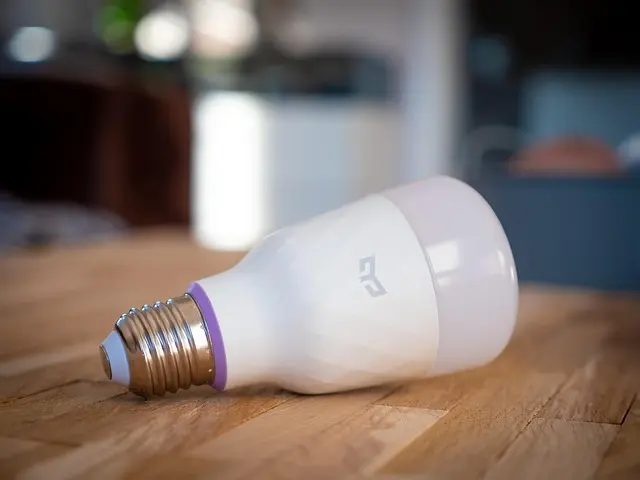
Introducing smart lighting systems can significantly improve home security. Smart lights can be programmed to simulate occupancy, deterring potential intruders. Here are some effective strategies:
- Scheduled Lights: Set your indoor and outdoor lights to operate on a schedule, creating the illusion that someone is home.
- Motion Sensor Lights: These lights activate when someone approaches your home, which can scare off threats.
- Remote Control: Use smartphone apps to control lighting when you are away, ensuring your home appears occupied at all times.
Comparison Table of Smart Equipment
| Feature | Smart Cameras | Smart Locks | Smart Lights | Integrated Systems |
|---|---|---|---|---|
| Remote Access | Yes | Yes | Yes | Yes |
| Motion Detection | Yes | No | Yes | Yes |
| Two-Way Audio | Yes | No | No | Yes |
| Scheduled Control | No | No | Yes | Yes |
| Alerts Notification | Yes | Yes | Yes | Yes |
6. Regularly Update Your Security Systems
In the realm of technology, maintaining a secure system requires regular updates. Just as software requires updates for new features and protection from vulnerabilities, your security systems are no different. Set reminders to check for:
- Software updates for your security equipment.
- Battery levels on wireless devices.
- Camera angles and positions to ensure they continue to cover vulnerable areas.
Staying proactive with updates enhances your system’s reliability and security, as cyber threats evolve over time. Notably, Cybersecurity & Infrastructure Security Agency (CISA) reports a steady increase in vulnerabilities within smart devices, emphasizing the need for regular maintenance.

📺 For additional insights
> [How to Choose the Best Smart Security System for Your Home],
> a complete analysis to help you make the right decision. Search on YouTube: best smart home security systems 2026.
Glossary
| Term | Definition |
|---|---|
| Smart Home | A home equipped with devices that can be controlled remotely. |
| IoT | Internet of Things; interconnected devices that share data. |
| AI in Security | Artificial intelligence used to enhance security features. |
Checklist before Purchase
- [ ] Assess all entry points.
- [ ] Choose a monitoring type (self or professional).
- [ ] Select surveillance cameras based on features.
- [ ] Choose smart locks with desired features.
- [ ] Schedule updates for all devices.
By now, you should have a solid foundation on how to maximize your home security using smart technology. Implementing these steps will not only enhance your security but also provide you with peace of mind. Don't forget to check our recommendations below for optimal products that can support your journey towards a safer home.
Recommended Products
- 2. 3. ---
📺 Pour aller plus loin : best smart home security systems 2026 sur YouTube
Recommended products
Selected by our experts