Table of Contents (11 sections)
Creating a smart home setup involves more than just purchasing devices. It’s about creating a cohesive environment that enhances your daily life and ensures convenience. This guide will walk you through the essential steps to develop the perfect smart home environment.
1. Define Your Needs and Goals
Before diving into the world of smart home devices, it’s vital to outline your specific needs and goals. Ask yourself what problems you want your smart home to solve. For instance, are you looking to improve security, enhance convenience, or save energy? According to UFC-Que Choisir, over 70% of smart home users indicate that security is their primary concern, while others focus on energy efficiency and automation. Engage family members in this conversation, as the needs may vary from one person to another. A clear understanding of your priorities will guide you in selecting the right devices.
2. Choose a Smart Home Ecosystem
Once you have defined your goals, the next step is to choose a smart home ecosystem. Major contenders include Amazon Alexa, Google Assistant, and Apple HomeKit. Each system has distinctive features that cater to different preferences. For example, Google Assistant excels in information retrieval, while Amazon Alexa has broader compatibility with devices. Ensure that the devices you plan to buy are compatible with the ecosystem you choose. Carefully weighing the pros and cons of each system can streamline your setup.
3. Start with a Strong Wi-Fi Network
A robust Wi-Fi network is the backbone of any smart home setup. Smart devices are often reliant on stable internet connections to function properly. If your current router isn’t up to the task, consider investing in a high-performance Wi-Fi router. Devices such as Wi-Fi 6 routers provide enhanced speeds and support for multiple devices. A recent study by Les Numériques indicated that households with efficient routers experience significantly fewer connectivity issues. Additionally, consider Wi-Fi extenders or mesh systems to eliminate dead zones within your home.
4. Select Key Smart Devices
Begin your smart home journey by selecting key devices that align with your defined needs. Some popular categories of smart devices include:
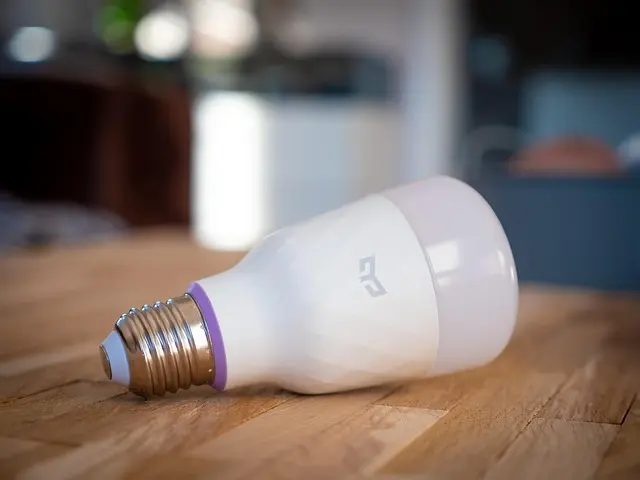
- Smart Lighting: Systems like smart bulbs or strips that allow customization of light settings via apps.
- Smart Security Cameras: Essential for monitoring your property remotely.
- Smart Thermostats: They learn your behaviors over time and help reduce energy costs.
- Smart Speakers: For voice control and integration with other devices.
Select a mix of devices that complement each other and enhance convenience. It's advisable to avoid overloading your setup with disparate brands without compatibility assurances, as this can lead to frustrating experiences.
5. Create Automation Routines
Automation routines are vital for maximizing the potential of your smart home setup. With smart home platforms, you can create specific routines that enhance user convenience. For instance, you can set a routine that dims lights, adjusts the thermostat, and plays relaxing music when it’s time to wind down in the evening. Many platforms allow you to set up these automations via their respective applications. According to 60 Millions de Consommateurs, automating common tasks can not only improve convenience but also promote energy savings.
6. Focus on Security
A successful smart home setup prioritizes security. Ensure that all your devices comply with security standards and regularly update the firmware. Enable two-factor authentication on smart home applications to add an additional layer of protection. Investment in a reliable smart security system can provide peace of mind. Consider devices like door sensors and surveillance cameras that offer real-time notifications and remote access. Statistics show that homes equipped with security systems see a drastic reduction in property crime.
7. Monitor and Optimize Your Setup
Finally, continuously monitor and optimize your smart home. Many systems provide analytics features that help you understand how your devices are used. Use this data to optimize routines and adjust settings where necessary. Regular maintenance and checking for software updates can enhance the performance of your home network and devices. In doing so, you’ll assure that your smart home setup remains efficient and fully functional.
Checklist before Purchase
- [ ] Define the main goals of your smart home setup.
- [ ] Research and choose a suitable smart home ecosystem.
- [ ] Invest in a high-performance Wi-Fi router.
- [ ] Select essential smart devices based on your needs.
- [ ] Set up automation routines for convenience.
- [ ] Prioritize security throughout your setup.
- [ ] Regularly monitor and optimize device performance.
Glossary
| Term | Definition |
|---|---|
| Smart Home | An integrated system of devices that communicate and can be controlled remotely via internet connectivity. |
| Wi-Fi 6 | The latest Wi-Fi standard offering faster speeds and better network efficiency in environments with multiple connected devices. |
| Automation Routines | Predefined sequences that trigger multiple actions within smart devices based on specific conditions. |
> 💡 Expert Opinion: Implementing a smart home system can seemingly be overwhelming due to the number of available devices and platforms. However, taking it step-by-step and gradually integrating key components will lead to an efficient and enjoyable setup.


📺 Resource Video:
To dive deeper into creating a smart home setup, check out videos on YouTube that explore device comparisons and integration tips. Search for: "how to create a smart home in 2026".
🧠 Quick Quiz: What is the major benefit of automating your smart home devices?
- A) Increased energy consumption
- B) Greater convenience and efficiency
- C) More manual control required
Answer: B — Automation significantly reduces the manual effort required for day-to-day tasks.
📺 Pour aller plus loin : how to create a smart home in 2026 sur YouTube
Recommended products
Selected by our experts


aosu | SECURITY 4K SolarCam P1 Max with aosuCortex System + Video Doorbell Pro + Floodlight Cam Pro
aosulife.com

aosu | SECURITY 4K SolarCam P1 Max with aosuCortex System + Video Doorbell Pro + IndoorCam P1 Pro
aosulife.com

aosu | SECURITY 4K SolarCam P1 Max with aosuCortex System + Video Doorbell Pro + Floodlight Cam Pro
aosulife.com