Table of Contents (17 sections)
Maintaining smart home devices is crucial for ensuring their longevity and optimizing performance. With the rise of smart technology in our homes, understanding how to keep these devices functioning at their best is essential. This guide will walk you through a step-by-step process to maintain your smart home devices effectively.
1. Understand Your Smart Home Ecosystem
Before diving into maintenance tasks, it’s important to grasp how your smart home devices interconnect. Different manufacturers often use separate protocols, which can lead to compatibility issues if you’re not aware of them. For instance, devices may operate on Zigbee, Z-Wave, or Wi-Fi, which can affect their maintenance and integration.
Understanding your ecosystem allows you to identify potential points of failure. Regularly consult the manufacturer’s documentation for each device. This can provide valuable insights regarding frequent updates, troubleshooting tips, and specific maintenance schedules tailored to your devices. According to a 2026 survey conducted by UFC-Que Choisir, about 65% of smart home users reported that a lack of compatibility awareness led to device failures.
Pro Tip:
Keep an inventory of your smart devices, noting down their operating systems and firmware versions. This helps in identifying when updates are necessary, ensuring smoother operation overall.
2. Update Device Firmware Regularly
One of the simplest yet underappreciated aspects of device maintenance is keeping firmware up to date. Manufacturers routinely release updates that fix bugs, patch vulnerabilities, and often enhance functionality. For example, many security cameras can receive patches that improve video quality and stability.
To maintain smart home devices, set a reminder to check for updates every month. Most devices support automatic updates, but it's important to verify that this option is enabled. Missing these updates can leave your devices vulnerable to security threats, with J.D. Power reporting in early 2026 that around 30% of users don't regularly update their firmware, exposing them to risks.
Common Pitfall:
Neglecting to verify update times can lead to outdated devices—always be proactive. Remember, frequent updates not only enhance performance but also resolve issues arising from previous firmware versions.
3. Clean and Care for Your Devices
Regular physical cleaning is another essential maintenance step often overlooked. Dust accumulation can affect performance, especially in devices that rely on sensors or cameras. For instance, a smart thermostat with a dirty sensor may misread room temperature, affecting your HVAC system's efficiency.
Recommended Cleaning Practices:
- Use a microfiber cloth to gently wipe surfaces of devices, avoiding excess moisture which can damage electronics.
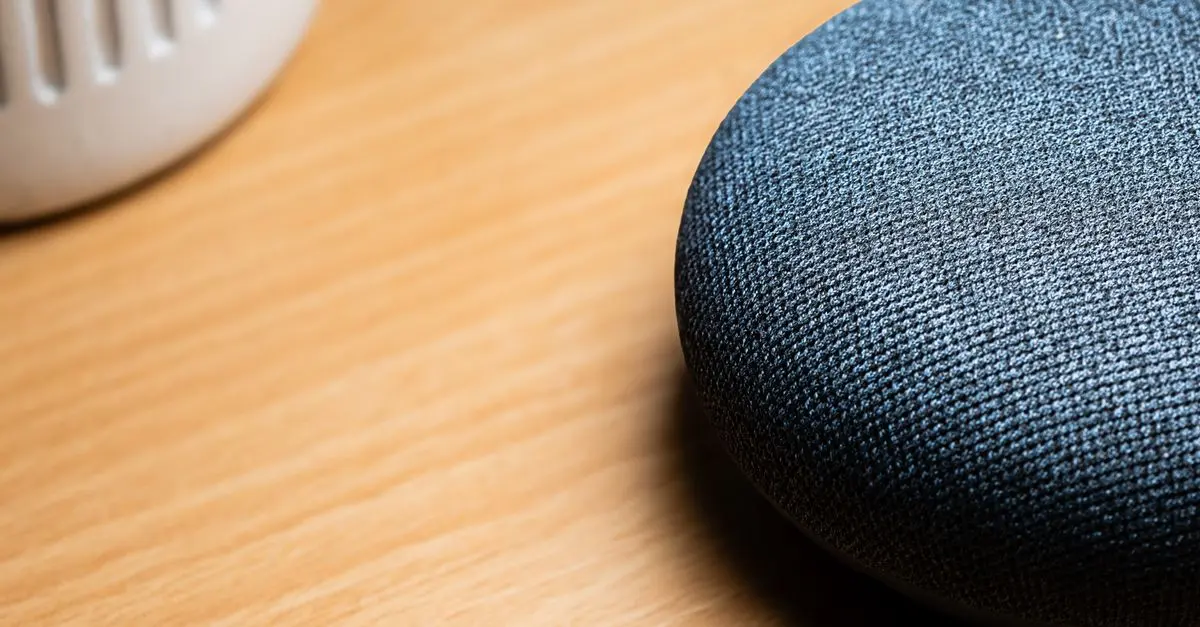
- For devices like smart speakers, consider cleaning the mesh or grills with a soft brush.
User Experience:
A homeowner reported improved performance of their smart thermostat after a thorough clean-up, which removed dust and debris from sensors that were affecting readings. Regular upkeep can enhance responsiveness significantly.
4. Network Maintenance: Ensure Strong Connectivity
The connectivity of your smart home devices primarily hinges on your Wi-Fi network’s stability. Regularly check and optimize your network settings. Ensure that your router firmware is updated and positioned efficiently within your home to provide strong signals throughout.
Additionally, consider utilizing a mesh Wi-Fi system if you experience connectivity issues in different rooms. This system eliminates dead zones and guarantees that all your smart devices function effectively. According to a 2026 report by Les Numériques, homes equipped with a mesh system noted a 40% increase in connectivity reliability for their smart devices.
Key Consideration:
Run speed tests to ensure your internet speeds consistently meet the requirements of your smart devices—some devices may need higher bandwidth for optimal performance.
5. Monitor Smart Device Interactions
As part of your maintenance routine, monitor how your devices interact with each other. Conflicts can arise when multiple devices attempt to communicate simultaneously, causing slowdowns or even malfunctions. Utilize capabilities within your smart home app to review interactions and adjust settings as needed.
Strategy:
Use user-defined routines to streamline device interactions. For example, if you notice that your smart lights don’t respond correctly to your thermostat signals, tweak their settings to reduce interference.
Expert Insight:
💡 Expert Advice: Regularly reviewing device interactions can lead to more efficient smart home operation, potentially saving energy and decreasing unnecessary conflicts.
6. Conduct Regular Security Audits
With the rise of smart home devices comes an increased risk of cyber threats. Conducting regular security audits of your devices ensures they are shielded against breaches. Change default passwords, enable two-factor authentication, and keep security settings up to date to enhance protection. Cybersecurity breaches have been recorded to rise by over 20% in recent years, making it essential to prioritize this aspect of device maintenance.
Reminder:
Check device settings at least every six months to ensure that best practices are maintained in terms of security. An additional layer of protection involves enabling guest access for devices such as smart speakers to minimize unauthorized access to your personal data.
📺 For further insights:
To deepen your understanding of smart home security, check out ([video title]) on YouTube, which provides tips and a thorough analysis of maintaining device security. Search for: ‘how to secure smart home devices in 2026.’
Checklist before Maintenance
- [ ] Review warranty and terms for each device.
- [ ] Update firmware regularly.
- [ ] Clean devices, focusing on sensors and cameras.
- [ ] Optimize Wi-Fi network settings.
- [ ] Monitor device interactions closely.
Glossary
| Terme | Définition |
|---|---|
| Firmware | Software programmed onto devices, needing updates. |
| Mesh Wi-Fi | A network system to eliminate dead zones in coverage. |
| Smart Hub | Central device allowing control of various smart devices. |
> 🧠 Quick Quiz: How often should you clean your smart home devices?
> - A) Once a month
> - B) Every 6 months
> - C) Never
> Answer: A — Regular cleaning every month is ideal to maintain optimal performance.
📺 Pour aller plus loin : how to secure smart home devices in 2026 sur YouTube