Table of Contents (14 sections)
In today's digital age, creating a smart home office is essential to enhance productivity and convenience. Smart home office setup combines technology and design to transform your workspace into a tech-savvy environment. We'll guide you through the steps to create an efficient and smart home office tailored to your needs.
1. Assess Your Space and Needs
Before diving into purchasing gadgets, evaluate your current workspace. Consider the space available, natural lighting, and daily tasks. An effective setup requires understanding what you need for your work routine. For instance, if your work involves video conferencing, consider lighting and audio equipment location critically. 💡 Pro tip: An ergonomic chair and desk are foundational for comfort, preventing strain over long hours.
2. Invest in Smart Lighting
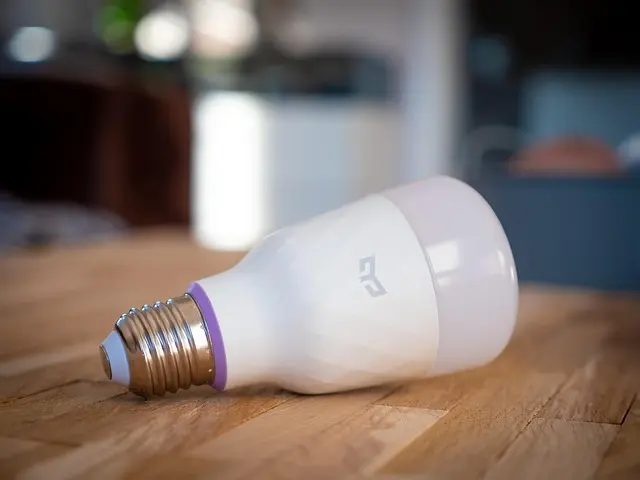
Lighting plays a significant role in productivity and mood. Smart lighting systems, such as those offered by Philips Hue or LIFX, allow you to adjust brightness and color temperature to match your workday's different phases. Studies have shown lighting can impact focus; cooler temperatures enhance alertness for detailed tasks, while warmer hues create a relaxing atmosphere for brainstorming sessions. Source: Les Numériques.

3. Enhance Networking with a Smart Router
Solid internet connectivity is crucial for a smart home office. Ensure your router supports dual-band or tri-band frequencies to handle multiple devices efficiently. Brands like Netgear and TP-Link offer routers tailored for handling high data loads. A mesh network, like those from Google Nest Wifi, can be a game-changer, eliminating dead zones and ensuring consistent connectivity throughout your workspace.
4. Integrate Smart Speakers and Assistants
Smart speakers like Amazon Echo and Google Nest Audio serve as central hubs for your smart devices. These can control your lighting, play music, set reminders, and even manage your calendar. With voice controls, multitasking becomes seamless, elevating your productivity without disrupting your workflow. Common error: Skipping setup tutorials instead of optimizing settings for your office environment.
📺 Ressource Vidéo
> 📺 For more: Setting Up a Smart Home Office: Tips and Tricks, explore comprehensive insights on optimizing your workspace. Search YouTube: "smart home office setup tutorial 2026".
5. Prioritize Security with Smart Technology
As you increase connectivity, ensure security with smart locks and video doorbells. Products like the August Smart Lock and Ring offer peace of mind, protecting your home office. Keeping your workspace secure digitally and physically is critical; update your passwords regularly and consider cybersecurity software for additional protection.
6. Create Comfort with Climate Control
Temperature directly affects productivity. A smart thermostat, such as Nest or Ecobee, can regulate your home office's temperature according to your preferences, saving energy and promoting a comfortable work environment. Expert tip: Programmable schedules optimize energy usage, adjusting temperatures when you're out.
7. Maintain Organization with Smart Storage
Digital clutter can hinder efficiency. Implement smart storage solutions like network-attached storage (NAS) devices for managing files seamlessly. This enables remote access and backs up essential data securely. Consider devices from Synology or QNAP for reliable solutions, ensuring your files are always at your fingertips.
📊 Comparative Analysis: Smart Home Office Essentials
| Feature | Option A | Option B | Option C | Verdict |
|---|---|---|---|---|
| Lighting | Philips Hue | LIFX | Eufy | Best value with LIFX for RGB options |
| Router | Netgear Orbi | Google Nest Wifi | TP-Link Deco | Orbi for coverage |
| Speaker | Amazon Echo | Google Nest | Apple HomePod | Echo for versatility |
| Thermostat | Nest | Ecobee | Honeywell | Ecobee for integrations |
🧠 Quick Quiz:
> 🧠 Quick Quiz: What's a primary benefit of smart lighting?
> - A) Reduces electricity costs
> - B) Enhances mood and productivity
> - C) Connects directly to Wi-Fi
> Answer: B — Proper lighting improves both mood and productivity, essential for an effective workspace.
- What are the benefits of a smart home office setup?
A smart home office setup enhances productivity, convenience, and can be cost-effective in the long run.
- Is investing in smart office gadgets expensive?
While initial costs might be high, many gadgets provide energy savings and increased productivity, offering a return on investment.
- How do smart speakers benefit a home office environment?
They streamline tasks via voice control, manage smart devices, and enhance workflow efficiency.
- What are the cyber security measures needed for a smart office?
Invest in network security solutions, password managers, and regularly update firmware to mitigate risks.
Glossary
| Term | Definition |
|---|---|
| Smart Lighting | Lighting systems that can be controlled remotely or automated. |
| Mesh Network | A system of multiple connected devices working to provide consistent internet coverage. |
| NAS Device | A storage system providing data access to a network of computers. |
Checklist Before Setup
- [ ] Assess your workspace size and lighting.
- [ ] Invest in smart lighting compatible with your devices.
- [ ] Ensure a robust internet set-up.
- [ ] Install smart speakers for efficient task management.
- [ ] Implement security measures for network protection.
Recommended products
Selected by our experts