Table of Contents (18 sections)
Automation is transforming how we interact with our homes. From smart lights to automated security systems, home automation enhances comfort, security, and energy efficiency. This guide is designed for beginners, providing clear steps on how to enter the exciting world of home automation.
What is Home Automation?
Home automation refers to the use of technology to control household systems and appliances. This integration can include lighting, climate control, security systems, and even entertainment, all manageable remotely through smartphones or voice commands. According to Statista, the global smart home market is expected to reach over 174 billion USD by 2026, indicating a growing interest in automating home environments.
The core idea is to provide users with increased convenience and security. Imagine walking into a dark home after a long day—your lights turn on automatically, the thermostat adjusts to your preferred temperature, and your security camera begins monitoring your surroundings. This level of integration not only saves time but can also lead to significant energy savings and improved safety.


Step-by-Step Guide to Home Automation
Getting started with home automation can seem daunting, but breaking it into manageable steps makes it easier. Here’s how to begin your journey:
Step 1: Define Your Needs
Before diving into purchasing devices, assess your needs. Do you want to enhance security, improve energy efficiency, or increase convenience? Identify specific areas where automation can benefit you, such as lighting control, smart thermostats, or home security systems. Each buyer's journey will vary, so tailoring your approach is key.
Step 2: Choose a Hub or Ecosystem
A smart home hub acts as the central point for controlling various devices. Whether you opt for an open ecosystem like Google Home or a more closed system like Apple HomeKit, your choice may impact how easily different devices integrate. A compatible hub also simplifies control; you can manage all devices from one app or interface.
Step 3: Start Small
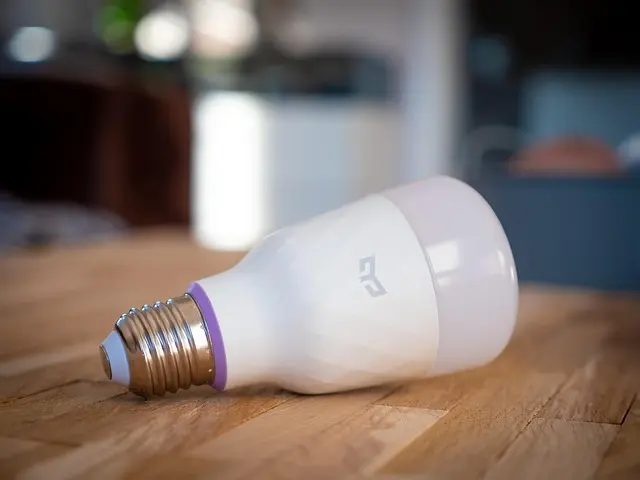
Your first purchase should be an easy-to-use device, such as smart bulbs or plugs. They allow you to get comfortable with automation without an overwhelming setup. For instance, smart bulbs can be controlled via an app, letting you adjust brightness and colors according to your mood or schedule. Remember, gradual introduction makes it less overwhelming.
Step 4: Expand Gradually
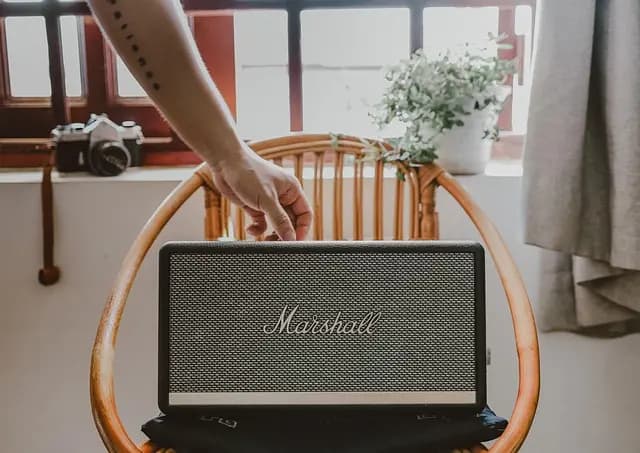
Once you’re comfortable, consider adding more devices like smart thermostats, security cameras, or smart locks. Look for devices that can be easily integrated with your existing setup. For instance, if you start with smart lights, follow up with a compatible smart speaker for voice control.
Step 5: Automate with Routines
Once you have several devices, you can create automation routines. For example, you can set a routine where your lights dim and your thermostat adjusts when you start a movie. Using scheduling features can also help—automating lights to turn on at sunset enhances security and convenience.
Step 6: Monitor and Adjust
Finally, monitor your setup to optimize its performance. Track energy savings from smart plugs, and adjust your routines based on daily habits. Gathering feedback on what’s working (or not) allows you to refine your setup continually.
Examples of Home Automation Devices
To provide you with a robust foundation, consider these examples of common devices used in home automation:
- Smart Lighting: Control your home’s lighting remotely, set schedules, and explore colors.
- Smart Thermostats: Automatically adjust home temperatures based on your routine to optimize comfort and save on energy bills.
- Smart Security Cameras: Monitor your home with real-time alerts and recording features, enhancing your security.
- Smart Speakers: A user-friendly interface for voice commands that can control various devices seamlessly.
By integrating these devices step-by-step, you can enhance your living space with a tailored approach to home automation.
Home Automation vs. Traditional Home Setup
Understanding the differences between traditional home setups and smart homes can help clarify the benefits of automation:
| Criteria | Traditional Home Setup | Home Automation | Verdict |
|---|
In essence, home automation offers convenience, improved security, and potentially lower energy costs, making it a significant leap from traditional setups.
Common Mistakes in Home Automation
When embarking on home automation, beginners often make common errors that can lead to frustration. Here are some pitfalls to avoid:
- Overcomplicating Setup: Avoid implementing too many devices at once. Start with a few core items.
- Neglecting Compatibility: Ensure new devices will work with your existing hub to prevent integration issues.
- Ignoring Security: Secure your network and devices with strong passwords and updates to protect against cyber threats.
- Underestimating User-Friendliness: Choose devices with intuitive interfaces, especially for the first purchases, to simplify the learning curve.
By learning from these mistakes, you can pave a smoother road to successfully automating your home.

eufy Permanent Outdoor Lights S4 (150ft with 108 LED Lights) +Free eufy Outdoor String Lights E10 White
eufy.com


Checklist for Starting Home Automation
Before purchasing automation devices, complete this checklist:
- [ ] Identify your specific automation needs.
- [ ] Research compatible hubs or ecosystems.
- [ ] Select a single smart device to start.
- [ ] Develop a plan for gradual expansion.
- [ ] Regularly monitor and adjust your setup.
Q: What is the average cost to automate a home?
A: The cost varies widely based on the devices and systems you choose, but a basic setup can start from a few hundred dollars.
Q: Can I automate my home without a hub?
A: Yes, many devices work independently and can be controlled through their respective apps.
Q: Will home automation save me money?
A: Over time, automation can lead to savings, especially in energy consumption, but the initial setup cost should be considered.
Q: How secure are smart home devices?
A: Generally, smart devices offer advanced security features, but securing your Wi-Fi network is crucial.
📺 For further learning: Check out the video titled “Introduction to Home Automation,” an insightful analysis that covers the essentials. You can find it on YouTube by searching: “home automation for beginners 2026.”
Glossary
| Term | Definition |
|---|---|
| Smart Hub | A central device that connects and controls various smart home devices. |
| Wi-Fi Security | Measures taken to protect your devices and network from unauthorized access. |
| Automated Routine | A pre-set sequence of actions performed by smart devices in response to specific triggers. |
Recommended Products
- Govee Floor Lamp 2: Ideal for creating ambient lighting in your smart living space.
- Eufy Entry Sensor E20 (20 Pack): An essential addition for enhancing your home security system.
- Eufy Indoor Cam E30: Great for monitoring your home efficiently.
Conclusion
Taking the plunge into home automation doesn’t need to be intimidating. By following the steps outlined in this guide, you can embark on a journey toward a more comfortable and efficient living space. Join the growing number of homeowners transforming their spaces into smart homes.
Explore our recommended products to kickstart your automation journey today!
📺 Pour aller plus loin : home automation for beginners 2026 sur YouTube
Recommended products
Selected by our experts


Kadyn - Fabric Home Office Chair with Rocking Backres- Home Office Computer Desk Chair, Small Office Chair - Gray
bestbuy.com

Kadyn - Big & Tall 400lb PU Leather Massage Office Chair- Home Office Computer Desk Chair, Small Office Chair - Black
bestbuy.com

Hivvago 8 Lbs Compact Mini Twin Tub Washing Spiner Machine for Home and Apartment
shop.simon.com